
For Sellers
How to Build a Product Knowledge Base for AI Video Creation
SEO title: How to Build a Product Knowledge Base for AI Video Creation
A product knowledge base for AI video creation should do more than hold a product description. It should help the team move from product assets to usable video tasks without rewriting the same context every time.
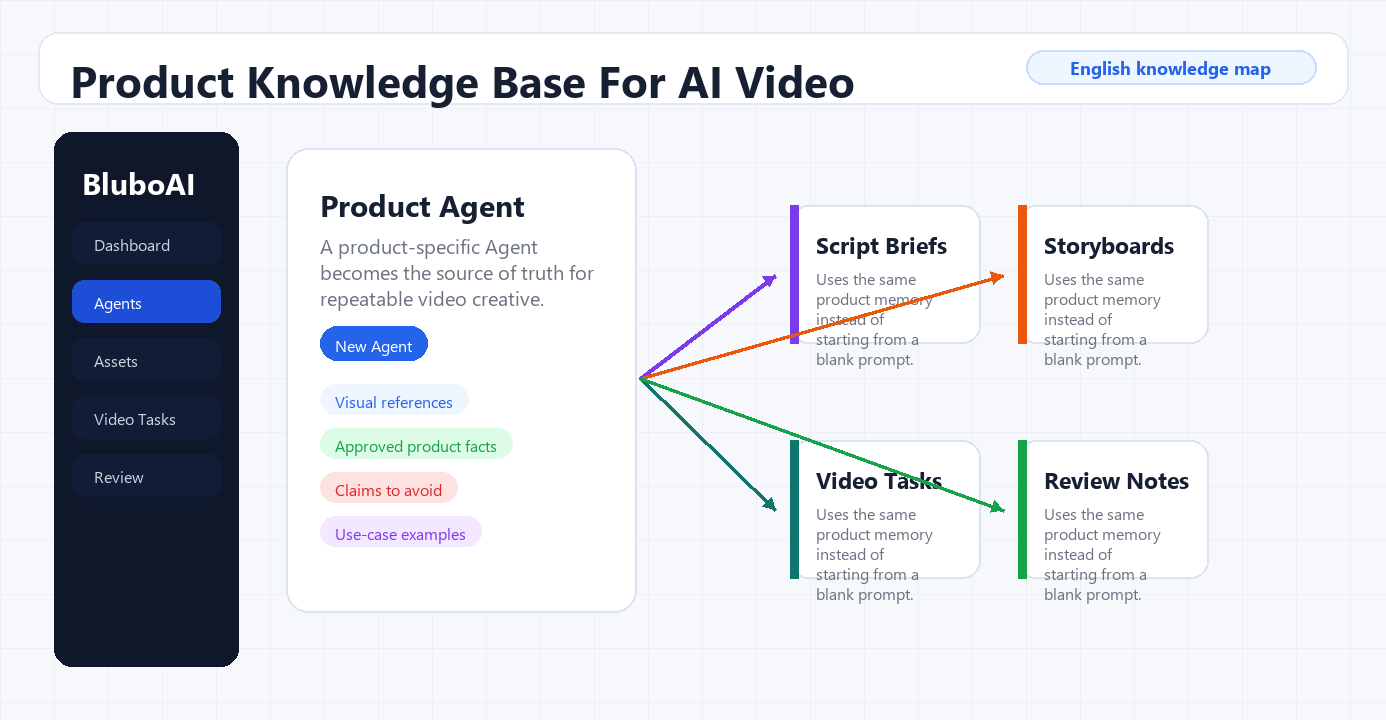
In BluboAI, that knowledge base can live inside a product-specific TikTok AI Agent. The agent keeps product information, product images, AI analysis, and reusable video materials close to the actual production workflow. That is the difference between "prompting for a video" and building a repeatable content system.
Video reference: Agent workflow demo
What a product knowledge base should contain
For AI video work, the knowledge base needs five practical layers:
- product identity: name, category, SKU, use case, and target buyer
- product appearance: photos, packaging, labels, details, color, size, and visible components
- product explanation: features, usage notes, materials, compatibility, limitations, and offer context
- creative direction: audience scenario, tone, objection, hook style, video length, and CTA
- review rules: approved claims, blocked claims, compliance notes, and human approval status
The important part is separation. A product image and a product claim are not the same type of input. A product photo can guide visual generation; a claim needs evidence and review before it appears in a script.
Step 1: Create one agent per priority product
Start with a product-specific agent instead of a generic brand folder. In the source workflow, the agent is built around a 45W mini charger. That keeps future video tasks connected to one product's facts, assets, and script history.
For ecommerce teams, this is cleaner than asking an editor to search a shared drive every time. The agent becomes the working memory for that product.
Use the first setup pass to add:
- product name and product category
- short product description
- buyer scenario and market
- source photos or clips
- any language or claim limits that reviewers must enforce
Step 2: Treat product appearance as a visual reference
The Agent setup flow separates "product appearance" from "product description." In the recorded workflow, BluboAI marks product appearance as important because it is used as reference material for the video model. Product description, by contrast, supplements the agent with more product information and is not treated as a visual reference by default.
That distinction matters. If the product appearance is weak, the video may drift visually. If the description is weak, the script may become generic. Strong AI video workflows need both.
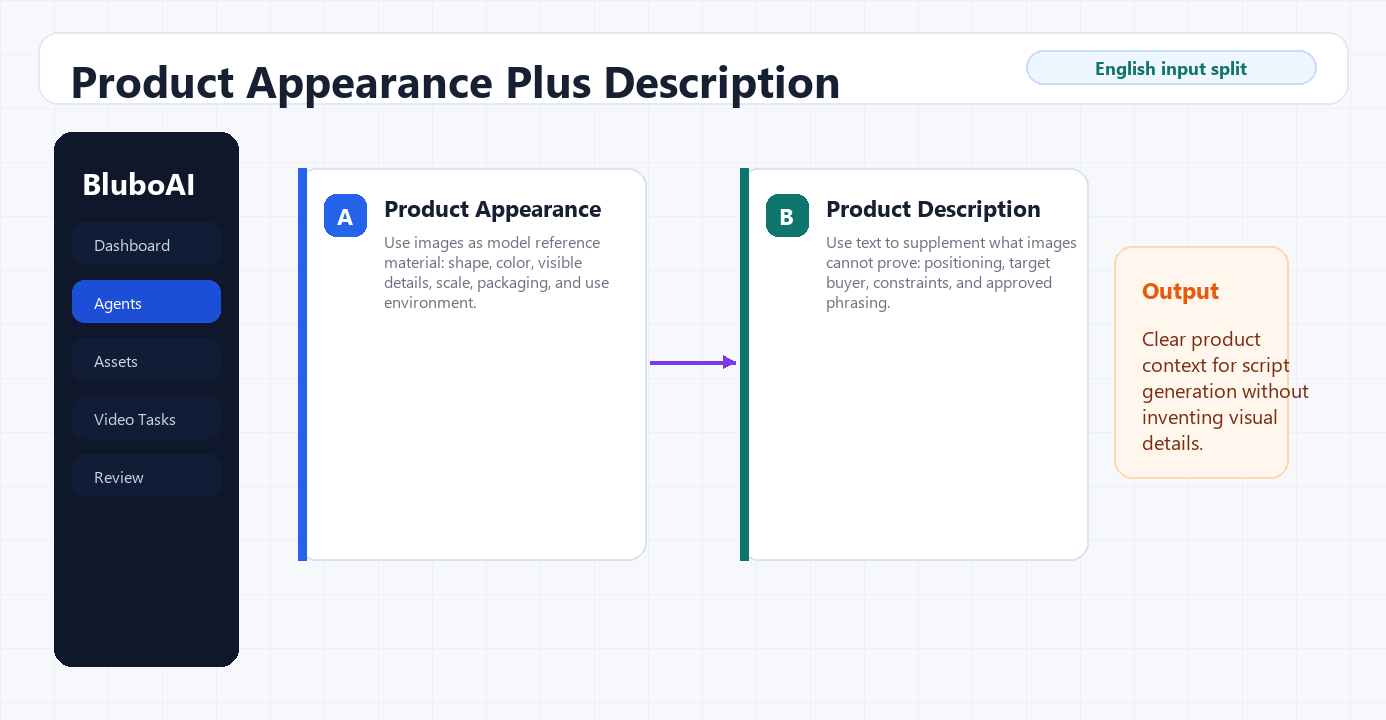
For each product, upload enough visual material to cover:
- front, back, and side views
- packaging and label details
- ports, buttons, texture, or material cues
- in-use or context shots when available
- images that should not be used, if the team needs a negative reference list
Step 3: Let AI analysis turn assets into usable product notes
After assets are uploaded, the agent can analyze product visuals and generate structured product notes. In the source workflow, the analysis turns charger images into details such as connector type, compact body, color, and usage context.
This does not remove human review. It gives the reviewer a better starting point. The editor should still check every feature, specification, and claim against the product page, packaging, or internal source of truth before publishing.
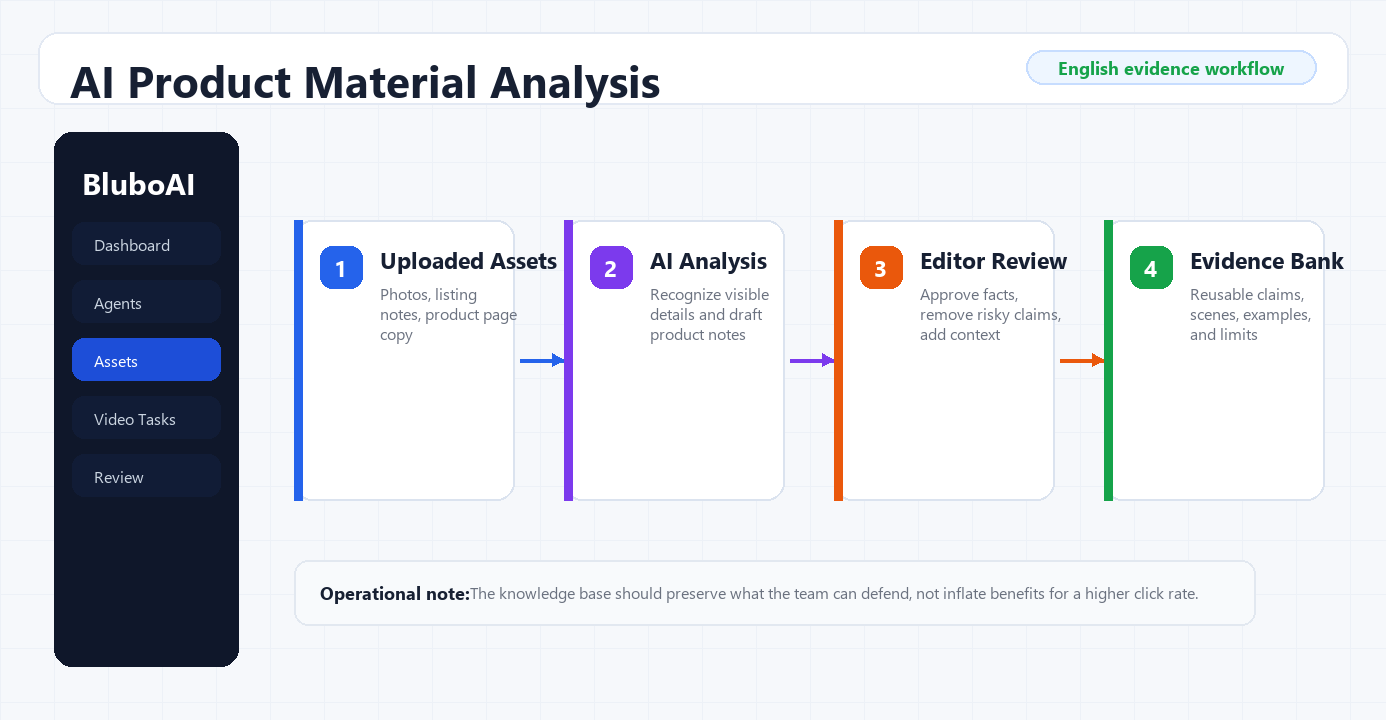
A useful review pass asks:
- Is each feature visible or verifiable?
- Are compatibility details exact?
- Does the wording avoid unsupported performance claims?
- Are risky words such as "best," "guaranteed," or "official" removed unless the team has evidence?
- Is the buyer scenario specific enough for a short video?
Step 4: Bring the knowledge base into a video task
The value of a product knowledge base appears when it follows the team into production. In BluboAI's new video task flow, the selected agent appears on the left, while the knowledge summary appears on the right. The team can then set video style, language, aspect ratio, length, and creative direction.
That is the point where knowledge becomes execution. The task is no longer starting from a blank prompt. It is starting from product data, images, and reviewed notes.
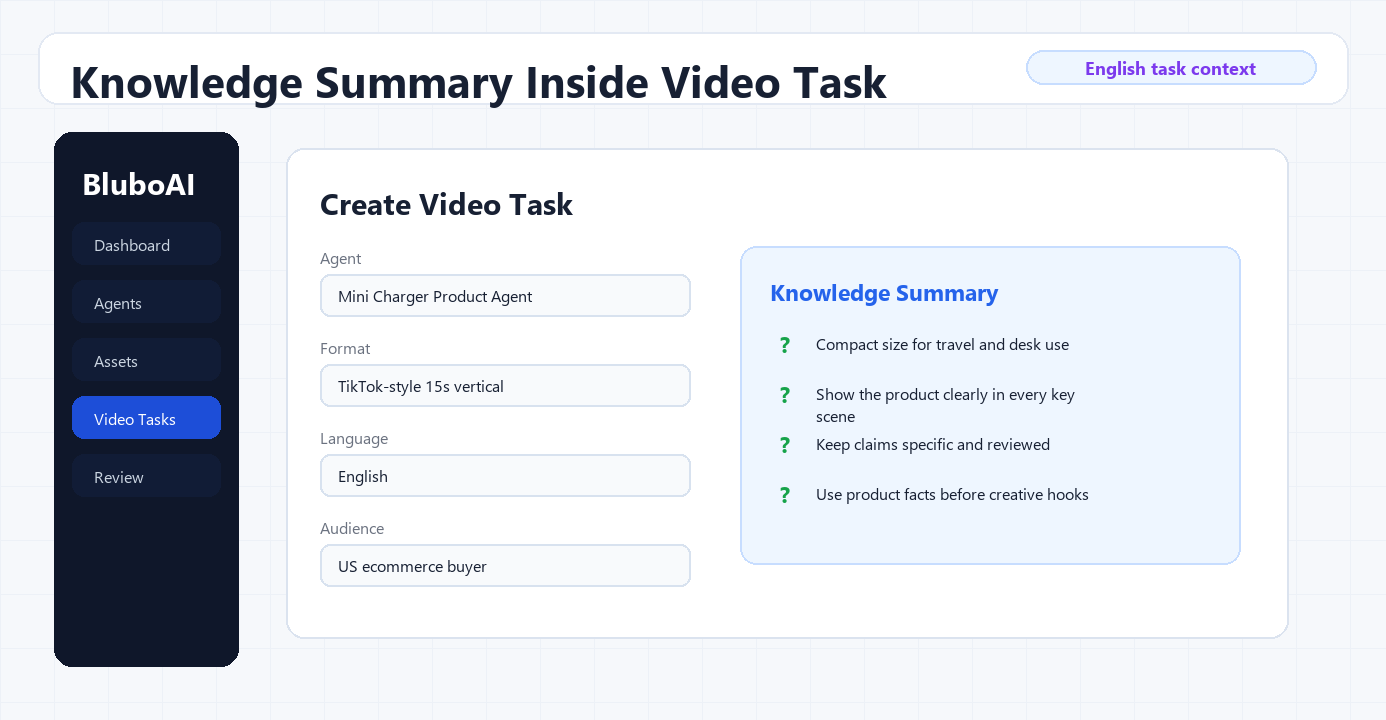
For a small ecommerce team, a strong task brief should include:
- audience: who is the video for?
- scenario: where does the product appear?
- objection: what hesitation should the video answer?
- format: UGC, demo, comparison, problem-solution, or founder-style explanation
- length: for example, 15 seconds or 30 seconds
- language and market: such as English for US buyers or Chinese for internal review
- review rule: what claim must be checked before publishing?
Step 5: Convert knowledge into storyboard scripts
Once the outline is confirmed, the workflow can generate segmented scripts. In the source example, each shot includes scene content, character action, product display requirements, and dialogue. That is much more useful for production than one long paragraph of ad copy.
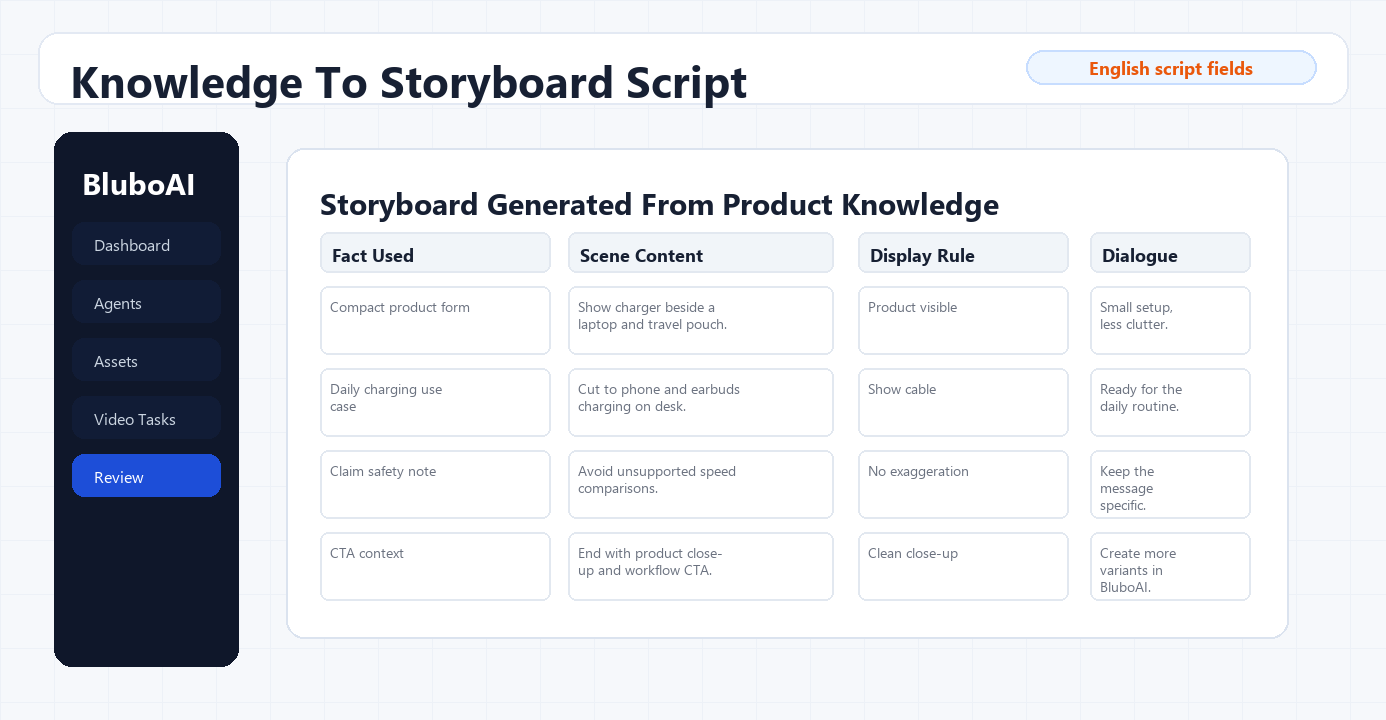
A practical 15-second structure can look like this:
- 0-3 seconds: show the buyer problem or moment of friction.
- 3-6 seconds: introduce the product visually, using the product appearance references.
- 6-10 seconds: demonstrate one benefit or usage scene.
- 10-13 seconds: answer one objection or show one proof point.
- 13-15 seconds: close with a clear CTA or next action.
The knowledge base should decide what can appear in each segment. If the claim is not in the knowledge base or evidence bank, it should not enter the script without review.
Common mistakes to avoid
Do not put every product note into one long description. Separate visual references, product facts, claims, and creative angles.
Do not treat AI analysis as final truth. Use it to accelerate review, then verify product specs and claims with approved sources.
Do not reuse the same agent for unrelated products. The agent should be specific enough that scripts stay grounded.
Do not save only final videos. Save approved scripts, useful assets, and rejected claim patterns so the next task improves.
Do not let "high-performing examples" turn into copying. Industry examples can guide structure and pacing, but the product story and claims still need to come from your own product evidence.
Where BluboAI fits
BluboAI fits when a team wants product knowledge to stay connected to video creation rather than living in separate folders and spreadsheets.
TikTok AI Agents can organize product knowledge, product material analysis, storyboard generation, and reusable product marketing material. Video Creation then uses that agent context to set up tasks, generate outlines, and turn reviewed product context into video-ready segments.
Related workflows:
- [What Is an AI Video Agent Workflow?](/blog/what-is-an-ai-video-agent-workflow)
- [High-Converting Video Ad Structures Explained](/blog/high-converting-video-ad-structures-explained)
Final takeaway
A product knowledge base is not a document archive. For AI video creation, it should be a production layer that connects product assets, product facts, approved claims, task settings, and storyboard scripts.
Build it product by product. Keep visual references separate from product descriptions. Review AI-generated notes before using them. Then let BluboAI carry that product context into video tasks, so each new script starts closer to the real product.
FAQ
What is a product knowledge base for AI video creation?
It is a structured source of product assets, facts, descriptions, approved claims, blocked claims, buyer scenarios, and review rules used to guide AI-generated video scripts and tasks.
Why should product appearance be separated from product description?
Product appearance can act as visual reference material for the video model, while product description gives the agent more context for script and planning. Treating them separately helps teams control both visual accuracy and messaging.
Can AI image analysis replace manual product review?
No. AI analysis is useful for turning images into structured notes, but humans should still verify specifications, compatibility details, and claims before publishing.
How many product assets should a team upload first?
Start with enough assets to show the product clearly: front, back, side, packaging, labels, and in-use context when available. Quality and coverage matter more than volume.
Where does BluboAI support this workflow?
BluboAI supports this workflow through TikTok AI Agents, product material analysis, knowledge summaries, video task configuration, storyboard scripts, Video Creation, Personal Assets, and Industry Cases.